A filter lets you define the type of instances you want to include in the report. For example, to restrict the report to only instances that have a form with the name "Starting Form", add the following filter:
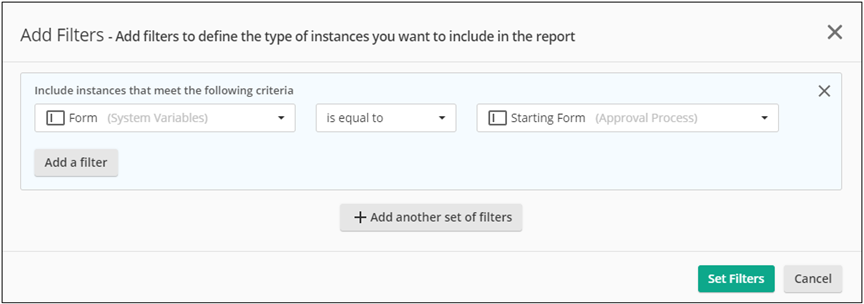
- In the Custom Reports Configuration page, click Filters.

- Click Add Filter.
- Set the criteria for the new filter.
- Optional: Click Add a filter in the box to add a condition to the filter.
- Optional: Click Add another set of filters to add another filter.
- Click Set Filters.
After you set the filter, the Filters button label will increment by 1 for each new filter.