For Each Row
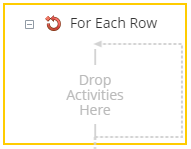
This activity runs the contained activities on each row of a table from specified Laserfiche entries. Learn about tokens this activity produces.
To set up this activity:
- Drag the activity from the toolbox pane and drop it in the Designer pane.
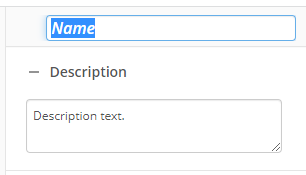
- In the properties pane, type a name and description of the activity.
- In the Get Rows From property box, select the entries you want this activity to operate on using the Edit button
 .
.
You may want to disable activities if you only want to test specific sections of your workflow. To disable activities:
- Select an activity in the designer pane to highlight it.
- In the Description property box, clear Enable.
Tokens for For Each Row Activity
This activity produces the following tokens:
| Name | Description | Sample Syntax |
|---|---|---|
| Column Name | A token is created for each column in the database table. The token name is the same as the column name. The token's value is the value in the Column Name column of the current row. | %(ForEachRow_Column Name) |
| Iteration | The number of times the For Each Row activity has run. | %(ForEachRow_Iteration) |
The "ForEachRow" portion of the syntax changes to match the activity's name.
Note: All non-alphanumeric characters, except underscores, are removed from the name. For example, if you rename the activity "Process [Rows]", the syntax for the column named Addresses token will be "%(ProcessRows_Adddresses)".