Usage Details Node
The Usage Details node, under AI Token Usage in the Workflow Administration Console, lets you generate detailed reports of AI token usage. These reports include tokens sent and received for LLM services used by Workflow activities.
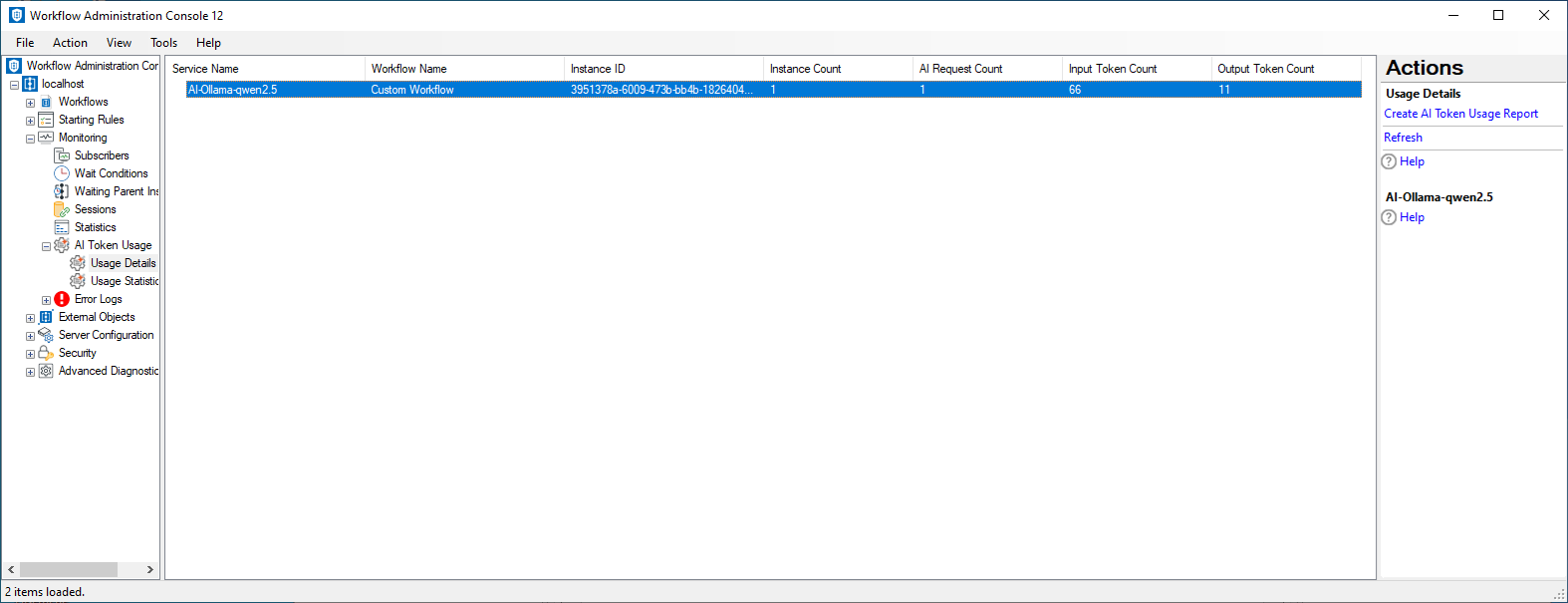
To open the Usage Details node
- In the Workflow Administration Console's Console Pane, expand the Monitoring node.
- Expand the AI Token Usage node.
- Select Usage Details.
To create an AI Token Usage report
- Select the Usage Details node.
- In the Actions Pane, click Create AI Token Usage Report.
- In the
 Create AI Token Usage Report dialog box, configure the report filters.
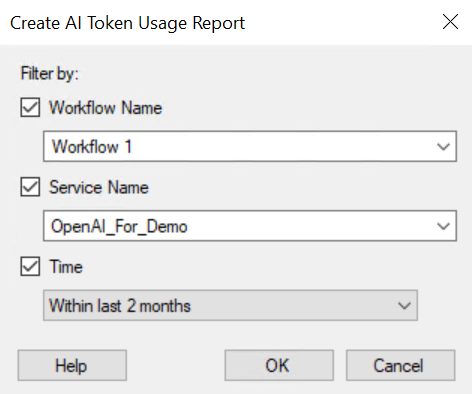
- Filter the report by Workflow Name, Service Name, and Time period.
- Use the Summarize by option to group results based on available criteria.
- Click OK to generate the report.