Usage Statistics Node
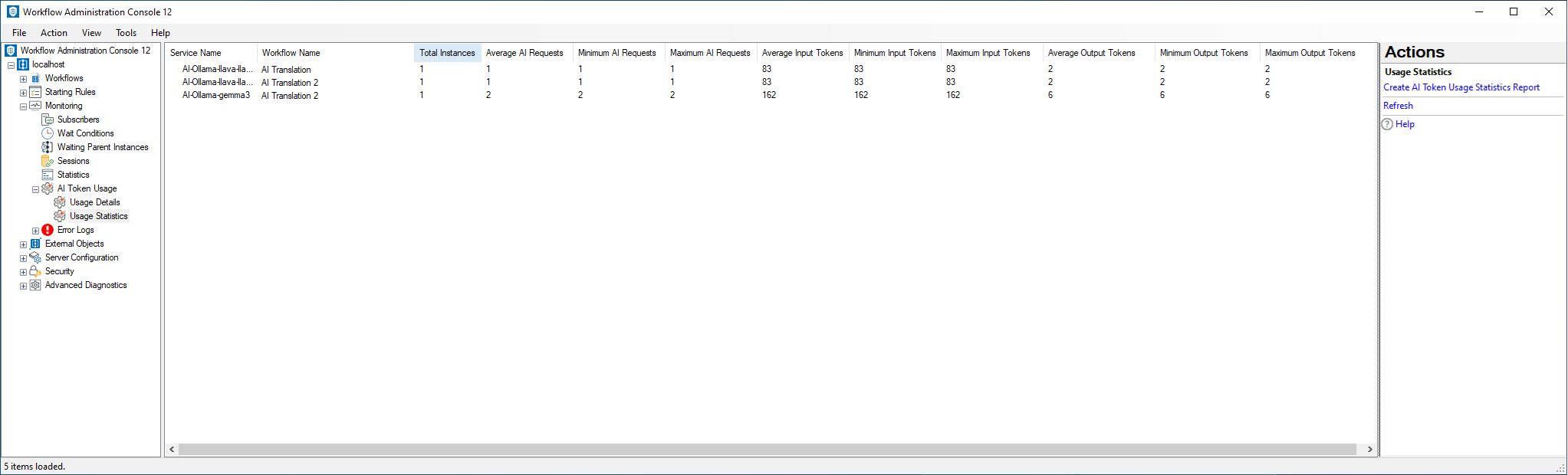
The Usage Statistics node, under AI Token Usage in the Workflow Administration Console, provides aggregated AI token usage data at the Workflow instance level.
By default, this node displays overall token usage statistics for the current time period.
To open the Usage Statistics node
- In the Workflow Administration Console's Console Pane, expand the Monitoring node.
- Expand the AI Token Usage node.
- Select Usage Statistics.
To create an AI Token Usage Statistics report
- Select the Usage Statistics node.
- In the Actions Pane, click Create AI Token Usage Statistics Report.
- In the
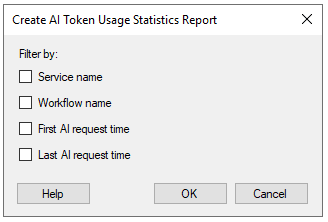
 Create AI Token Usage Statistics Report dialog box, configure the desired filters.
 - Click OK to generate the report.